

Gmail
Suits: teams that quote and invoice from Google mailboxes.
- Scans quotes, invoices and threads
- Approved emails go out from your Gmail, with your signature and logo
Recommended for you
Product tour
Recover reads the quotes, invoices, payments and email threads your team already has. It lists every follow-up that slipped, shows the evidence behind it, and writes the email in your tone. A person on your team decides. Nothing is ever sent without your approval.
14-day free trial with 1,000 tokens. No mailbox access needed to start: try the CSV route.
The problem
A quote goes out and nobody follows up. An invoice passes its due date while everyone is busy with the next job. A good customer goes quiet. None of it is anyone's fault. It is simply nobody's job, so it waits in the inbox until it is too late.
Recover makes it somebody's job, without adding work. It finds each follow-up, prepares it, and hands it to the right person for a one-key decision. We don't replace people. We give them back their time and make every follow-up better.
01 · The loop
Follow one example company through the loop. Gulf Star Trading (example) is a Dubai trading firm with a quote and an invoice that slipped.
Step 1 of 5
Connect Gmail or Outlook, install the Windows local agent, or upload the free CSV data template. Choose the route that fits your IT rules.
Step 2 of 5
Recover scans quotes, invoices, payments, contracts and email threads. It lists every opportunity with the amount, the days idle, a score, a confidence and the evidence rows behind it.
Step 3 of 5
For each opportunity Recover writes a short follow-up in your company's tone and language, using your Custom Skills: formal or friendly, Arabic or English per client, and within your rules.
To Accounts, Al Noor Trading LLC
Subject Invoice INV-000101, friendly reminder
Dear Al Noor team,
I hope you are well. This is a friendly reminder that invoice INV-000101 for AED 12,500 is now past its due date. Could you let us know when we can expect payment? If it is already on its way, please ignore this note.
Kind regards,
Gulf Star Trading
Tone: friendly reminder · Language: English
Step 4 of 5
The owner, a sales lead or a finance manager approves, edits or rejects each draft. An unapproved send is refused by the system, and the approver is recorded. Approved emails go out from your own mailbox, with your signature and logo.
Al Noor Trading LLC
Invoice INV-000101, friendly reminderAED 12,500
Step 5 of 5
Every approved follow-up moves through a funnel: sent, replied, won, paid. The dashboard shows "Confirmed recovered" value, so you can see what the follow-ups brought back.
Step 1 of 5
02 · What Recover finds
Revenue leaks at every hand-off in the customer cycle: from the first enquiry to the renewal. Select a leak to see what Recover shows your team, and why it was flagged.
Forgotten quote Example
AED 46,000
Why flagged: Quotation sent 36 days ago. No reply from the customer and no follow-up from your side. Your project-quote threshold is 21 days.
| Source | Record | Detail |
|---|---|---|
| Quote | QT-2026-031 | AED 46,000 · status open |
| Sent to Desert Rose Interiors | Quotation attached · 36 days ago | |
| Thread | Same conversation | No reply received, no follow-up sent |
Suggested action: a short, polite note asking whether the quotation is still under review, with an offer to answer questions. Draft ready
Overdue invoice Example
AED 12,500
Why flagged: The invoice is 41 days past its due date and AED 12,500 is still owed. Partial payments are counted, so the amount shown is what remains open.
| Source | Record | Detail |
|---|---|---|
| Invoice | INV-000101 | Due 41 days ago |
| Payments | Matched to this invoice | AED 12,500 still open |
| Invoice sent to Al Noor accounts | No reminder since |
Suggested action: a friendly reminder that quotes the invoice number, amount and due date. Draft ready
Dormant customer Example
AED 5,000
Why flagged: This customer used to order regularly. The last order was 132 days ago, past your dormant threshold of 120 days. The amount is their typical order value.
| Source | Record | Detail |
|---|---|---|
| Invoices | Order history | Regular orders, typical value AED 5,000 |
| Invoice | Last order | 132 days ago |
| Last contact | No check-in since the last delivery |
Suggested action: a warm check-in that mentions what they usually order and asks if anything has changed. Draft ready
Contract renewal Example
AED 3,200
Why flagged: The contract ends in 21 days and there is no renewal quote or conversation in progress.
| Source | Record | Detail |
|---|---|---|
| Contract | Annual agreement | Ends in 21 days · AED 3,200 |
| Quotes | Renewal quote | None found |
| Renewal conversation | None found |
Suggested action: a renewal note that confirms the end date and offers to send the renewal terms. Draft ready
Unanswered enquiry Example
Not stated
Why flagged: An inbound email asked for a price and a meeting. Nobody on the team replied.
| Source | Record | Detail |
|---|---|---|
| Inbound from a new contact | Asks for a price and a meeting · 4 days ago | |
| Thread | Same conversation | No reply sent |
Suggested action: a prompt reply that thanks them, confirms the request and proposes a time to talk. Draft ready
Example data for illustration. Thresholds are tunable: trading quotes 7 to 10 days, project quotes 14 to 21 days, dormant customers 90 to 180 days are typical settings.
03 · Getting started
Some teams want a live mailbox connection. Some need raw email to stay on their own computers. Some want to see a result before connecting anything. Recover works with all three.
Suits: teams that quote and invoice from Google mailboxes.
Recommended for you
Suits: teams that quote and invoice from Outlook.
Recommended for you
Suits: firms where raw email must stay on company computers.
Recommended for you
Suits: anyone who wants a first result before connecting a mailbox.
Recommended for you
04 · The approval gate
Nothing is ever sent without your approval. Recover prepares the decision so that making it takes seconds, not a morning.
Click into this panel, then press Y to approve, N to reject, R to read the draft.
1 of 2
Al Noor Trading LLC needs approval
Invoice INV-000101, friendly reminderAED 12,500
Why: 41 days overdue, AED 12,500 still owed.
All caught up
That is the whole job. In the Example, the owner cleared both drafts in under a minute from the Companion.
Audit log
05 · Recover Companion & Reva
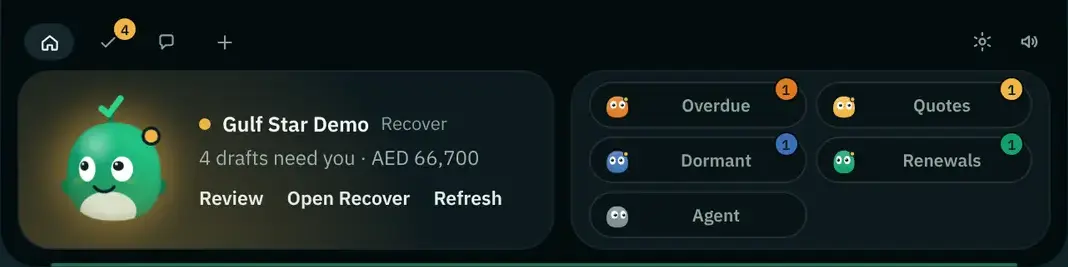
The Recover Companion is a small Windows desktop app that stays on top of your work. Reva, the Recover character, tells you what needs approval, lets you decide with one key and lets you read the draft or chat. It is included with every plan and the free trial.

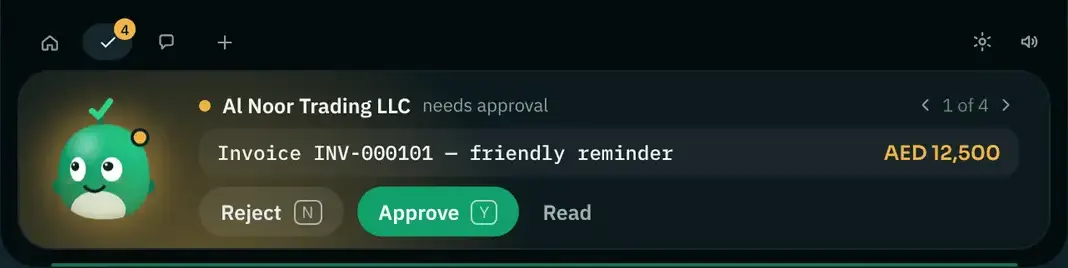
A small island on your desktop shows what needs approval and notifies you of new drafts. Approve or reject with one key.
Classic Reva, Reva · Khaleeji (shayla or hijab, abaya) and Rayan (ghutra or red shemagh, thobe), with seasonal touches for Ramadan and Eid. Modest wear is always the user's choice.
A desk robot that raises her hand when something waits for approval. It never approves or sends anything. Prototype in development; reservation is free and non-binding.
Reserve Reva P1Chat copilot
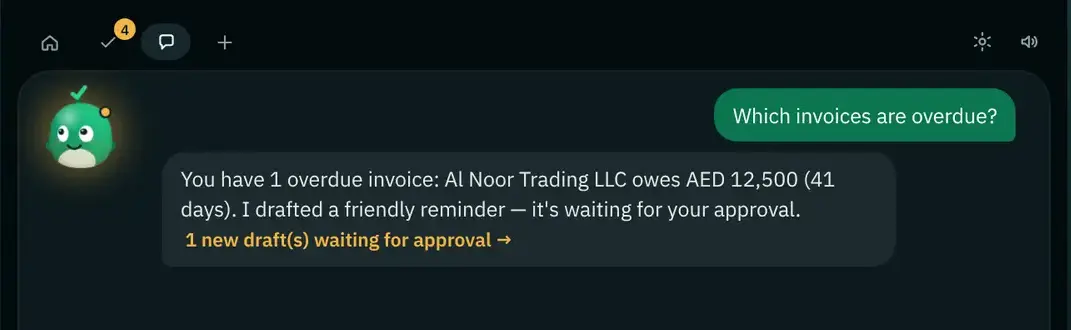
The chat copilot works on your live data. Ask "Which invoices are overdue?" and get the answer with the drafts ready for approval. Ask why something was flagged, and Reva shows the reason.
Pick a question to see an example answer.
Quote QT-2026-031 for AED 46,000 was sent 36 days ago. There is no reply and no follow-up, which is past your 21-day project-quote threshold. A short follow-up is drafted.
Invoice INV-000101, AED 12,500, 41 days overdue. A friendly reminder is drafted and waiting for your approval.
Two drafts need you: the Al Noor invoice reminder and the Desert Rose quote follow-up. Together they cover AED 58,500. Press Y or N in the Companion.
06 · Custom Skills
Every company follows up differently. Custom Skills give Recover your company context, and Recover uses your data and your Skills in every scan and every draft.
House style
How your emails look and read: greeting, sign-off, length, what to always include.
"Keep follow-ups under 90 words. Always quote the reference number."
Tone
Formal or warm, by leak type and by customer. A first reminder is not a final notice.
"First invoice reminder: friendly. Second: polite and direct."
Etiquette
Language and courtesy per client, the way your best people already do it.
"Formal Gulf etiquette; Arabic/English per client."
Product and service knowledge
What you sell, how it is delivered, what customers usually ask. Drafts use what you actually sell.
"Annual maintenance includes two site visits. Mention it at renewal."
Rules and guardrails
Hard limits Recover will not cross, like a maximum discount or contacts per day.
"Never offer a discount above 5%."
No data science project
You describe how you work. Recover applies it. You review every draft before it is sent, so you can see your Skills at work.
Quoted Skills are examples.
Choose a tone and a rule, and watch the same follow-up change.
The interactive skill builder loads here. In Recover, you add Skills such as "Formal Gulf etiquette; Arabic/English per client" or "Never offer a discount above 5%", and every draft follows them.
07 · Reva as a coach
Each person on the team gets a short briefing: what waits for them, why each item was flagged, and what is still open for that customer. Ask a follow-up question and Reva answers on live customer data.
Available today
Coming soon
Good morning. Here is your briefing. Example
Both drafts follow your Skills. Press Y or N in the Companion.
Before you follow up with Desert Rose Interiors Example
Draft ready: a short note asking whether the quotation is still under review.
Before you chase Al Noor Trading LLC Example
Draft ready: a friendly reminder quoting the number, amount and due date.
08 · Team roles and missions
Give people roles and missions. A mission is a goal with clear steps, so sales, finance and account managers each see the work that is theirs, and the owner sees all of it.
Mission Example
Mission Example
Mission Example
09 · Built for the Gulf
Quote in dirhams, invoice in riyals, keep your books in one currency. Work in English or Arabic, and write to each client in their language.
A books currency setting keeps your totals in the currency your accounts use.
10 · Where Recover fits
Recover is a follow-up layer between the mailbox, the books and the CRM. Everything you rely on today stays where it is.
StaysGmail or Outlook, your signature, your logo
Recover addsApproved follow-ups sent from it, in your name
StaysThe ledger, VAT and e-invoicing
Recover addsA view of what is overdue, with partial payments counted
StaysYour pipeline and how you manage it
Recover addsThe follow-ups that fall between systems
StaysEvery decision, every relationship
Recover addsTime back, and a better follow-up every time
Questions
No. Every follow-up is a draft until a named person approves it. An unapproved send is refused by the system, and every approval is logged with who approved it. Approved emails go out from your own mailbox. Read about security and privacy.
No. Copy the free data template, fill it with your quotes, invoices and customers, and upload it for a CSV Revenue Leak Audit. It is the fastest route to a first result and needs no mailbox access.
Gmail and Outlook. If raw email must stay on your company's computers, the Windows local agent indexes email and accounting exports on the device and syncs only redacted records.
Through Custom Skills. You give Recover your house style, tone, etiquette, product and service knowledge and your rules, such as a maximum discount. Recover uses your data and your Skills in every scan and every draft.
No. Recover is a follow-up layer between the mailbox, the books and the CRM. It does not replace the ledger, VAT or e-invoicing, the CRM pipeline or your people. It gives your team back time and makes every follow-up better.
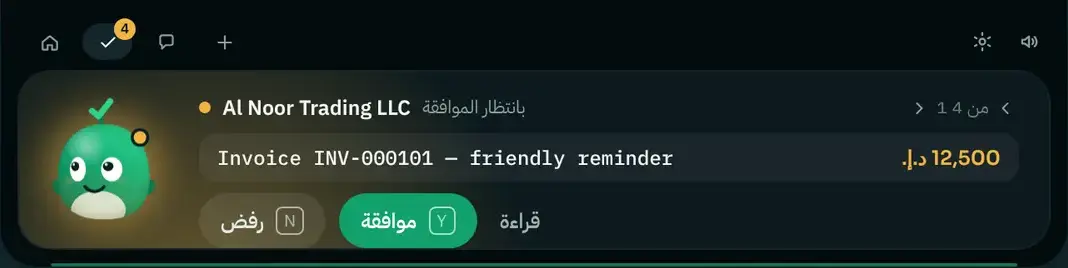
Gulf currencies (AED, SAR, QAR, KWD, BHD and OMR) plus USD, EUR and others, with a books currency setting. The interface is available in English, Arabic (right-to-left), German and French.
Yes. The Recover Companion Windows desktop app with Reva is included with every plan and with the free trial.
Plans start at $99 per month (Starter), with Growth at $249 and Scale at $449. Annual billing includes two months free. Every plan starts with a 14-day free trial with 1,000 tokens, and there are no overage charges. Compare plans.
Your next step
Start the 14-day free trial, or claim the first-1,000 offer: 30% off your first 12 months on any plan.
Not ready? Get the free templates or book a demo.
First 1,000 users
1,000 of 1,000 codes left
Join the newsletter for the next offer and monthly retention playbooks.
Join the newsletter